Overview
Claude, developed by Anthropic, is a family of frontier artificial intelligence models engineered with a primary focus on deep reasoning, advanced coding, and safe, helpful interactions. Since its initial debut, Claude has consistently prioritized conversational nuance, complex document analysis, and code generation.
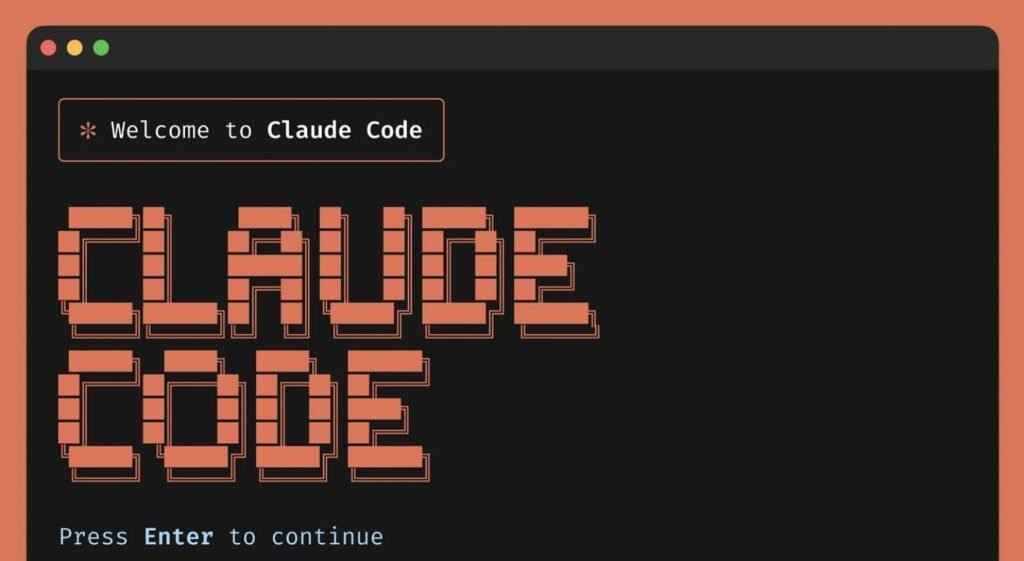
By utilizing state-of-the-art models like Claude Sonnet 5 and Claude Opus 4.8, the platform has evolved from a simple chatbot into a comprehensive productivity ecosystem. Built around collaborative tools, developer interfaces, and a terminal-native companion called Claude Code, the platform bridges the gap between conversational assistance and autonomous execution.
Pros and Cons
| Pros | Cons |
| Industry-Leading Coding: Delivers exceptional performance in writing, debugging, and explaining complex codebases across multiple programming languages. | No Native Media Generation: Strictly limited to text and image inputs; it cannot natively generate images, audio, or video files. |
| Massive Context Window: Supports a 1-million-token context window, allowing users to upload entire books, codebases, or financial archives at once. | Restrictive Usage Quotas: High-tier usage on the web platform is capped by complex session and weekly limit clocks that can disrupt heavy workflows. |
| Interactive Artifacts: Renders live, interactive previews of generated code, SVG graphics, HTML sites, and vector diagrams in a dedicated sidebar. | Knowledge Cutoffs: Despite possessing web search integration, some highly real-time or hyper-local queries require manual search prompts. |
| Robust Collaborative Tools: The Projects feature allows teams to easily organize custom system prompts, document catalogs, and shared templates. | High Subscription Cost Tiers: Moving from the Pro tier to the high-capacity Max tiers is expensive, ranging from $100 to $200 per month. |
Key Features
1. Interactive Artifacts
Artifacts are dedicated, standalone windows that appear alongside your main chat interface. When you ask Claude to generate code, web pages, vector graphics, or structured data documents, it isolates these items into an Artifact panel. This allows you to view, test, and run your code or designs in real-time, side-by-side with your instructions, without cluttering the chat history.
2. Multi-Model Workspace (Sonnet 5 & Opus 4.8)
Claude gives users direct access to a highly specialized model hierarchy. Claude Sonnet 5 serves as the agile powerhouse, delivering rapid processing speeds and optimized agentic coding capabilities. For open-ended creative tasks, deep conceptual reasoning, and massive multi-layered problem solving, users can toggle to Claude Opus 4.8, the family’s premium flagship intelligence engine.
3. Dedicated Projects and Cowork
The Projects feature functions as a persistent collaborative knowledge base. Users can upload specific assets—such as brand guidelines, code libraries, database schemas, or marketing templates—into a designated project folder. Every conversation started inside that Project inherits this context automatically, saving users from repeatedly uploading the same reference documents.
4. Claude Code CLI and Dynamic Workflows
Built directly for software engineers, Claude Code is a terminal-based agentic companion. Running natively in your CLI, it can read local files, execute terminal commands, run tests, and write complex Git commits. Through its “dynamic workflows” capability, Claude can plan multi-step operations and launch parallel sub-agents to resolve issues across hundreds of thousands of lines of code.
5. Effort Control and Extended Thinking
Introduced alongside the latest model iterations, the Effort Control toggle allows users to dictate how much processing power Claude dedicates to a query. Selecting a higher effort setting prompts Claude to engage in “Extended Thinking,” using step-by-step reasoning sequences to self-correct and verify answers before responding. Lower effort settings bypass this phase for rapid, simple answers.
User Experience
Claude maintains one of the cleanest, most minimalist user interfaces in the generative AI landscape. The workspace is structured to eliminate visual clutter, focusing your attention entirely on the conversation. When generating visual mockups or code scripts, the interface smoothly transitions into a dual-pane view, seamlessly presenting the live Artifact alongside your chat stream.
The conversational flow feels remarkably natural, often described as more empathetic and less formulaic than competitor platforms. For non-technical users, navigating Projects and uploading files is intuitive. For developers, the integration of keyboard shortcuts, markdown rendering, and terminal-friendly output blocks makes copying code and managing workspace settings fast and frictionless.
Pricing
Claude offers scalable subscription plans tailored to individual hobbyists, business teams, and technical power-users.
| Plan | Monthly Price | Annual Price | Key Target Audience | Core Features |
| Free | $0 | $0 | Casual users, beginners | Basic chat, text generation, image analysis, standard usage limits. |
| Pro | $20 | $17 / month (Billed annually) | Freelancers, professional writers, developers | 5x more usage than Free, access to Sonnet 5 and Opus 4.8, Projects, Claude Code CLI. |
| Max 5x | $100 | N/A | Heavy technical users, data analysts | All Pro features, 5x Pro usage limits, higher output limits, early access to new releases. |
| Max 20x | $200 | N/A | Autonomous software builders, power users | All Pro features, 20x Pro usage limits, dynamic workflows, maximum priority access. |
| Team Standard | $30 ($25 / seat / mo annually) | $25 / seat / month (Min. 5 seats) | Small startups, marketing agencies | Shared workspace, pooled limits, Microsoft 365 and Slack connectors, admin billing tools. |
| Team Premium | $150 / seat | N/A | Deep engineering teams | Team Standard features plus full terminal-native Claude Code CLI access for all seats. |
Integrations
Anthropic focuses on building deep, high-reliability integrations that feed enterprise data directly into your Claude workspace:
- Google Workspace: Syncs with Google Drive, allowing Claude to read, analyze, and reference Docs and Sheets instantly.
- Microsoft 365: Integrates with OneDrive, SharePoint, and Teams to run unified context searches across your corporate file catalogs.
- Slack: Connects Claude as a collaborative teammate directly within your public or private Slack channels.
- GitHub: Allows users to link repositories directly to Projects, pulling in updated code structures and tracking file changes automatically.
- Model Context Protocol (MCP): An open standard that allows Claude to connect directly to local databases, API endpoints, and custom servers securely.
Security and Privacy
Anthropic is highly regarded for its “safety-first” developmental framework. Unlike typical AI models that train freely on user inputs, Anthropic implements strict data privacy guardrails to protect intellectual property.
For individual Pro users and Team/Enterprise accounts, Anthropic explicitly commits to not using your prompt history, uploaded files, or generated code to train their public models. All communications are encrypted in transit and at rest. Enterprise tiers gain access to single sign-on (SSO), customized data retention windows, role-based access controls, and compliance audit APIs to meet strict regulatory demands.
Who Should Use Claude?
Freelancers and Writers
Claude’s advanced language synthesis makes it highly valuable for copywriters, ghostwriters, and independent consultants. It excels at adopting specific brand tones, drafting long-form content, and synthesizing dense source materials without sounding overly robotic or formulaic.
Marketers and Data Analysts
Marketers can use Claude to analyze complex market spreadsheets, parse customer feedback files, draft multi-channel ad copy, and structure SEO strategies. The large context window allows you to upload entire competitor websites or campaign briefs to extract immediate insights.
Startups and Small Businesses
For small, agile teams, Claude serves as an extra developer, designer, and operational assistant. The Projects feature enables teams to collaborate on business proposals, draft legal contracts, write product requirement documents (PRDs), and build rapid prototypes in a shared space.
Software Engineers
With Claude Code, terminal integration, and Sonnet 5’s exceptional coding benchmarks, developers can automate tedious refactoring, debug difficult stack traces, and write comprehensive test suites directly from their command lines.
Alternatives
OpenAI ChatGPT
ChatGPT is Claude’s closest competitor. It features robust native image generation (via DALL-E 3), advanced voice modes, and integrated custom GPT storefronts. While ChatGPT is superior for multi-modal creations (voice and image outputs), Claude is widely preferred for deep logical reasoning, long-document comprehension, and clean code generation.
Google Gemini
Gemini shines with its ultra-fast integration across the native Google Cloud and Workspace environments (Gmail, Docs, Sheets). Gemini Advanced also boasts a massive 2-million-token context window. However, Claude generally outperforms Gemini in coding accuracy, precise instruction following, and nuanced writing styles.
Microsoft Copilot
Microsoft Copilot is deeply woven into the Windows operating system and Microsoft 365 applications. It is an excellent choice for corporate environments requiring tight-knit Office integration. If you need a flexible, cross-platform workspace that supports custom code execution and local terminal control, Claude remains the stronger development assistant.
Final Verdict
Tool Cento Rating: 9.3 / 10
Claude is an industry-defining tool for conversational reasoning and software engineering. It successfully balances cutting-edge capability with high usability. By introducing interactive Artifacts, persistent Projects, and terminal-native execution via Claude Code, it has constructed an ecosystem that appeals equally to non-technical professionals and advanced developers.
While the lack of native image or video generation might disappoint multi-modal creators, and the usage limits on the web app can be restrictive for heavy users, Claude remains unmatched in raw writing quality, coding accuracy, and safe data handling. It is an indispensable productivity tool for freelancers, marketers, startups, and modern technical teams.
FAQ
1. Is Claude free to use?
Yes. The basic tier of Claude is free to use on the web and mobile devices, though it is subject to daily usage limits during peak hours.
2. What is the difference between Claude Sonnet and Claude Opus?
Sonnet is optimized for speed, daily task efficiency, and agentic coding. Opus is Anthropic’s flagship engine, designed for deep scientific reasoning, complex math, and massive multi-layered documents.
3. What is an “Artifact” in Claude?
An Artifact is a dedicated UI panel that opens next to your chat to display standalone content like code files, HTML layouts, SVG illustrations, or interactive scripts.
4. Can Claude generate images or videos?
No. Claude can analyze and interpret uploaded images, diagrams, and files, but it does not natively generate visual or audio media files.
5. How does the context window benefit businesses?
Claude’s 1-million-token context window allows businesses to upload entire financial reports, user manuals, or codebases in a single prompt to get precise answers without system memory loss.
6. Will Anthropic train its models on my data?
If you are on the Pro, Max, Team, or Enterprise tiers, Anthropic does not use your conversation logs, uploaded documents, or generated code to train its models.
7. What is Claude Code?
Claude Code is a terminal-based developer tool that runs in your command line, allowing Claude to read local directories, run terminal commands, and write code changes directly.
8. How do Projects work in Claude?
Projects allow you to create shared folders containing instructions, files, and templates. Any conversation started within that project automatically references that data.
9. Can I access Claude via an API?
Yes. Developers can access Claude’s model family through the Anthropic API, paying a variable rate based on input and output token consumption.